Ask about your company
Updated
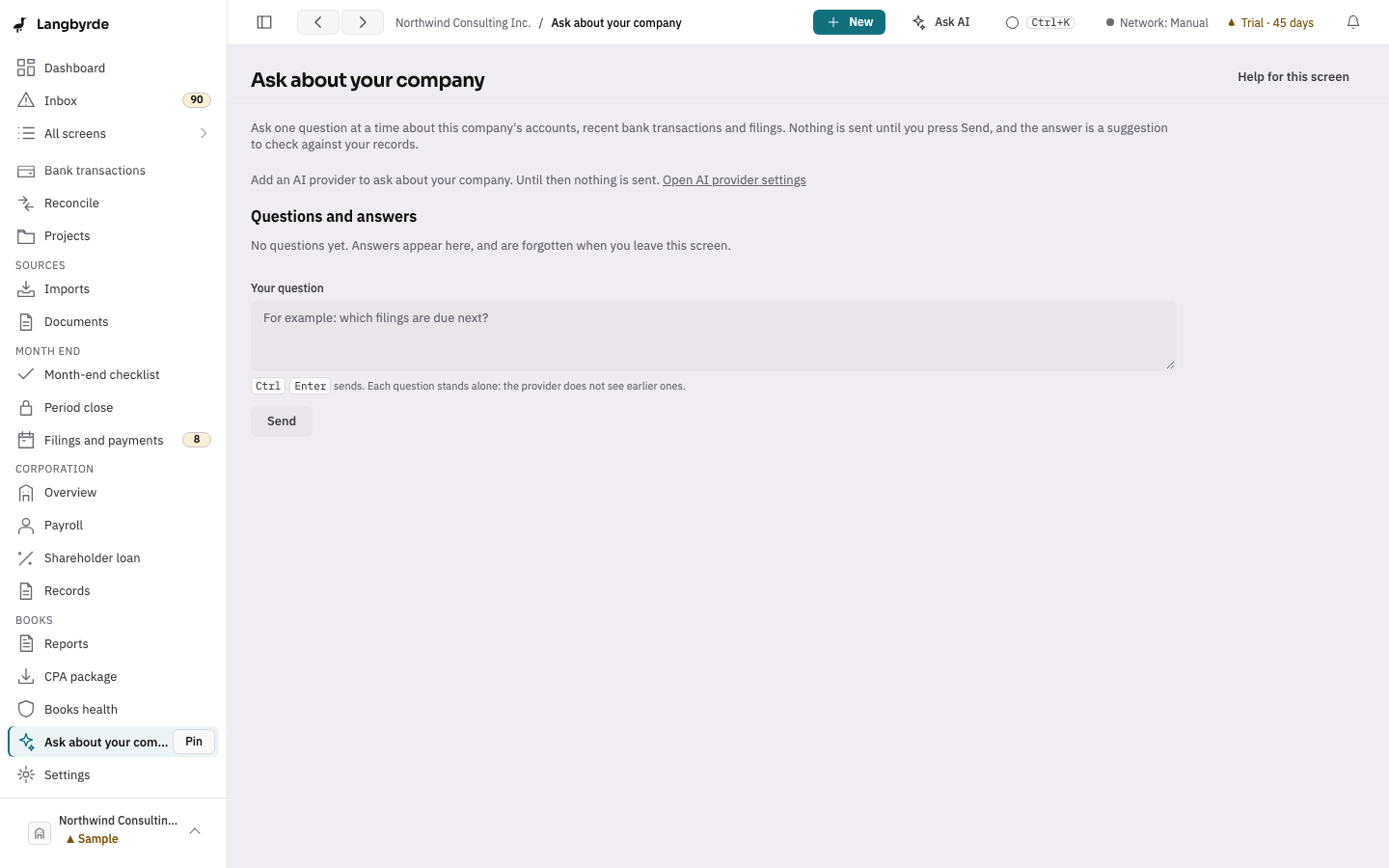
Ask about your company sends one question, with a short summary of your company's own records, to the AI provider you set up, and shows its answer. It needs an AI provider: with none, the screen says so and links to Settings, AI providers.
Open it with Ask AI at the top of the window while a company is open, or type "Ask about your company" in the command palette (Ctrl+K, ⌘K on a Mac).
Ask a question
- Type your question in Your question, for example "Which filings are due next?".
- Press Send, or
Ctrl+Enter(⌘↵on a Mac); the hint under the box shows the one for your computer. A plainEnterstarts a new line. - While the provider works, the screen shows how long it has been waiting. Press Cancel to stop; nothing is changed.
- The answer appears under your question, marked AI answer, with the name of the provider and model that wrote it.
Nothing is sent until you press Send. Opening the screen sends nothing.
The first time you ask a given provider on this computer, Langbyrde shows what will be sent before it sends anything. You can open the same list at any time from What will be sent.
What is sent
With your question, the provider receives a short summary of your company: the balances of your active business accounts as of today, your 50 most recent bank transactions, and the filings that are coming up or in progress. Account, card, tax and social insurance numbers, email addresses, phone numbers, addresses, your company's name and the names of people your records hold are replaced with stand-ins first, in the question and in the summary. See What is sent to an AI provider.
If the answer repeats a stand-in, the screen shows the word withheld in square brackets instead: the real detail never left this computer, so it cannot be put back.
Reading the answer
- It is a suggestion, not a fact. Check it against your records before you rely on it. Nothing in your books changes because of an answer. See Disclaimers.
- Each answer stands alone. The provider does not see your earlier questions; ask a follow-up in full.
- Nothing is kept. The conversation is gone when you leave the screen. See this answer in AI activity opens the record of exactly what was sent and what came back.
When there is no answer
- No AI provider could answer: check Settings, AI providers, and the network setting in Settings, Privacy & network. In Offline and Manual, nothing is sent.
- The provider did not answer in time: try again, or give it more time in the provider's settings.
- The answer could not be used: ask again, perhaps in other words.