Month-end takes an evening
Three statements, two currencies, one spreadsheet. You copy lines across, look up exchange rates and work out the HST by hand, and it still doesn’t quite balance.
For small incorporated businesses in Canada: consultants, contractors, integration specialists and other professionals
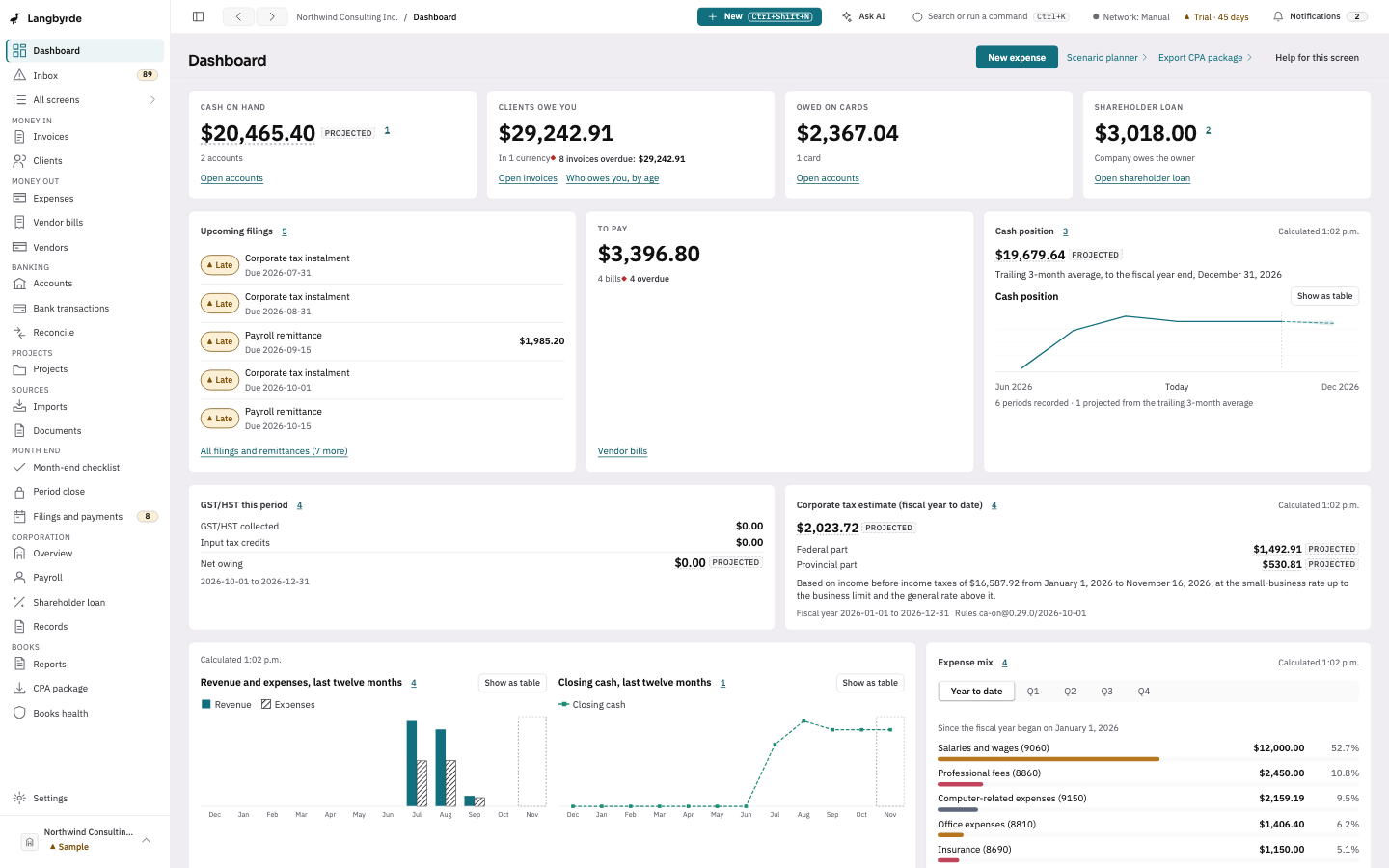
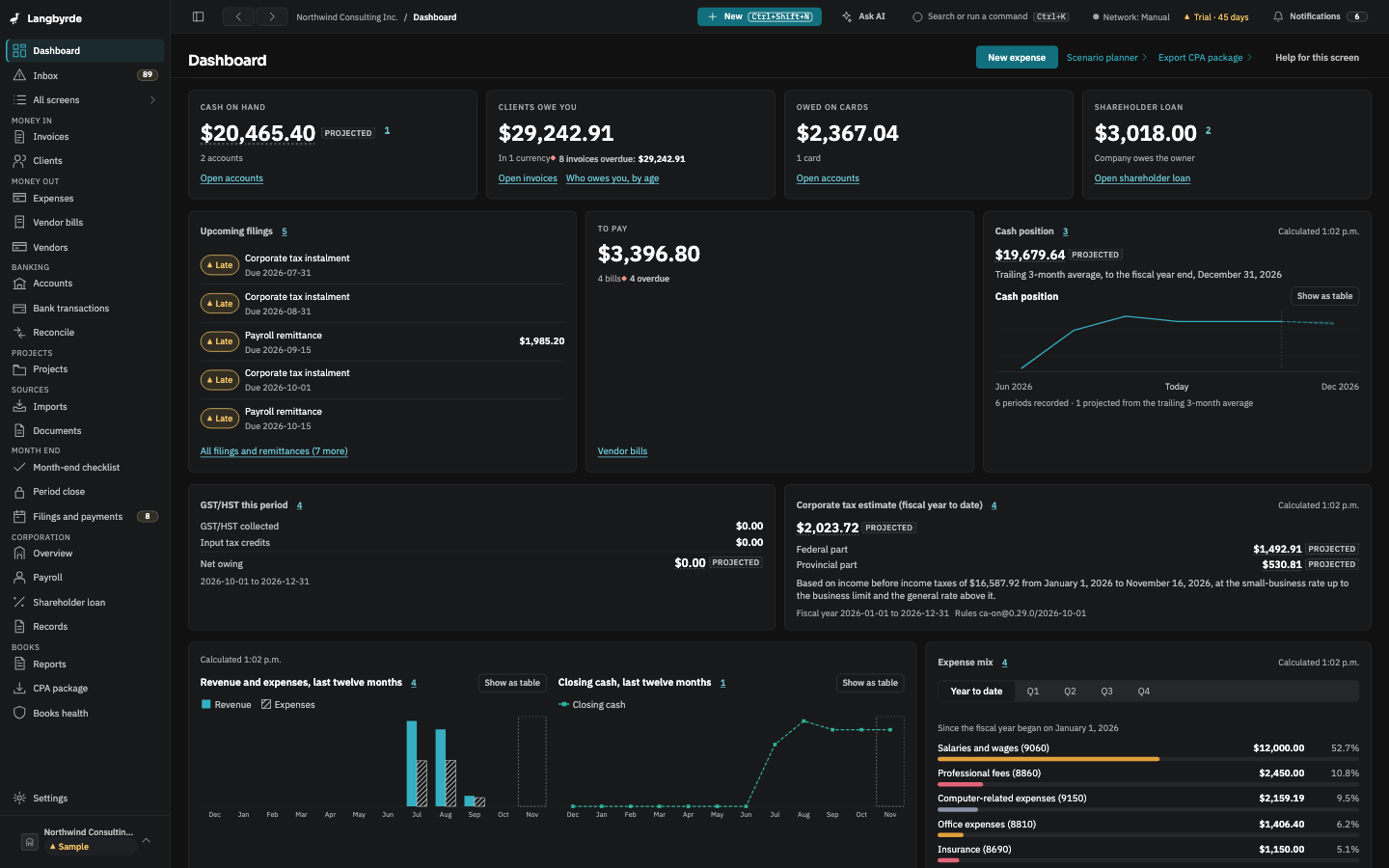
Langbyrde is a desktop app that imports your bank statements and receipts, proposes a category and its HST for every statement line, and at year end hands your CPA a clean package. Your books stay on your own computer. No subscription is planned.
Beta · planned price $149 CAD once at release, plus applicable taxes, after a 45-day trial · macOS and Windows
The problem
You incorporated to do the work you are good at. Then came the books: statements, receipts, HST, payroll remittances and a shareholder loan, kept in a spreadsheet only you understand.
Three statements, two currencies, one spreadsheet. You copy lines across, look up exchange rates and work out the HST by hand, and it still doesn’t quite balance.
Some are in your inbox, some in Downloads, some on paper. In April your CPA asks for the ones that match the card statement, and the hunt begins.
Most bookkeeping tools are a monthly subscription that keeps your records on the vendor’s servers. You wanted software you own, with files you can open.
How it works
Langbyrde does the importing, sorting and adding up. You make every decision.
Drop in your bank and card statements, a folder of receipts or saved receipt e-mails, supplier invoices, and the invoices you issued before. Langbyrde sorts each file and says what it thinks it is, for you to change. It reads the statements, flags duplicates and any statement whose opening and closing balances don’t add up, and files each receipt in your document folder, then reads what it can off it and fills in a draft expense for you to check.
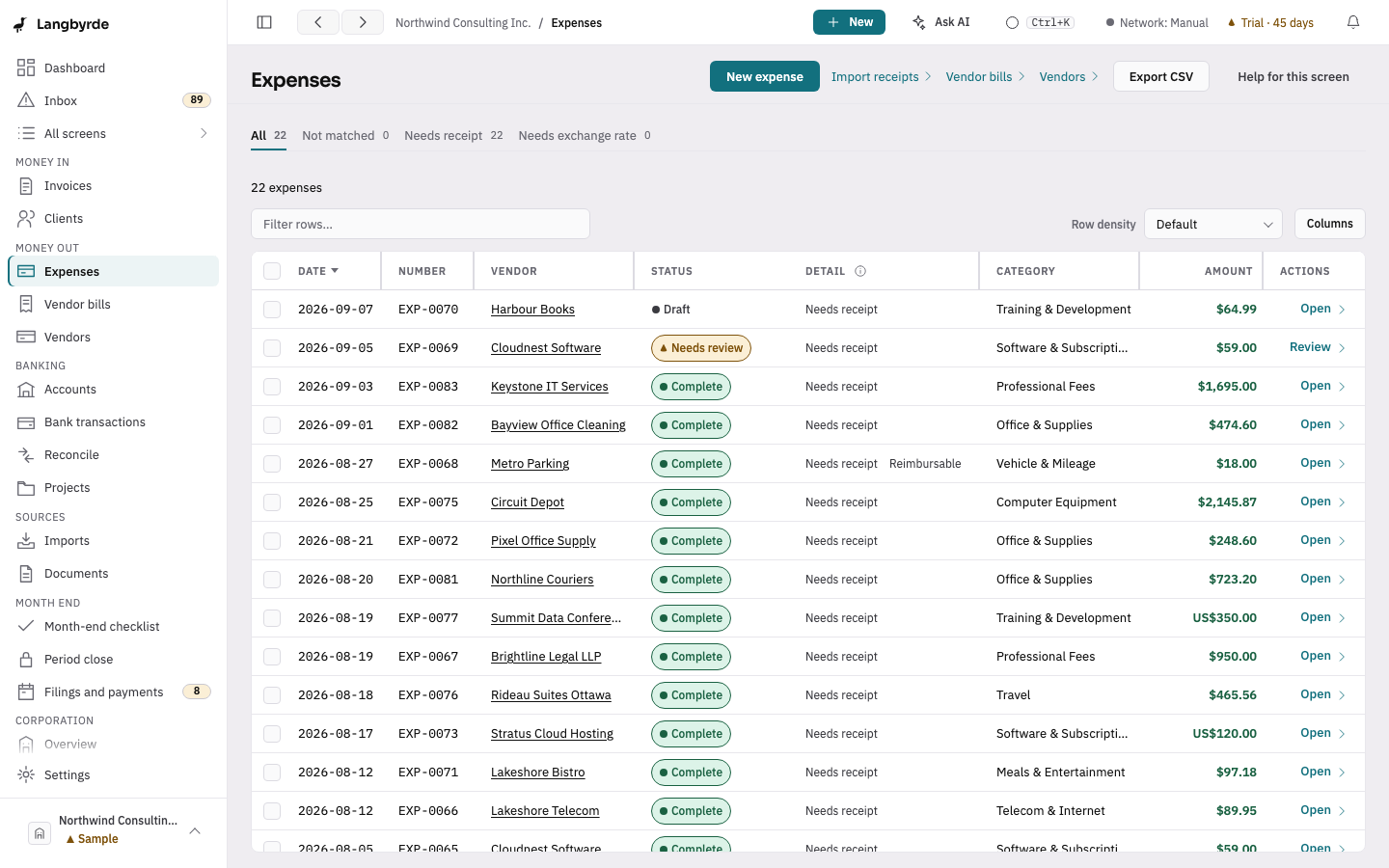
It suggests a category and HST per line, and the bank or card line each receipt belongs to. You accept, correct or skip. Nothing is final until you confirm (unless the owner turns on exact receipt matches, each undoable); gaps like a missing receipt are flagged.
At year end, one export builds a folder with the workbook, the reports, the receipts and a README. Your accountant opens it with the tools they already use.
Follow one statement to the package, step by step
Our goal: a month-end that takes minutes, not an evening. We plan to publish measured before-and-after times from the beta once we have them; until then it is a goal, not a measurement.
What you get
Every feature replaces a step someone is doing by hand in a spreadsheet right now.
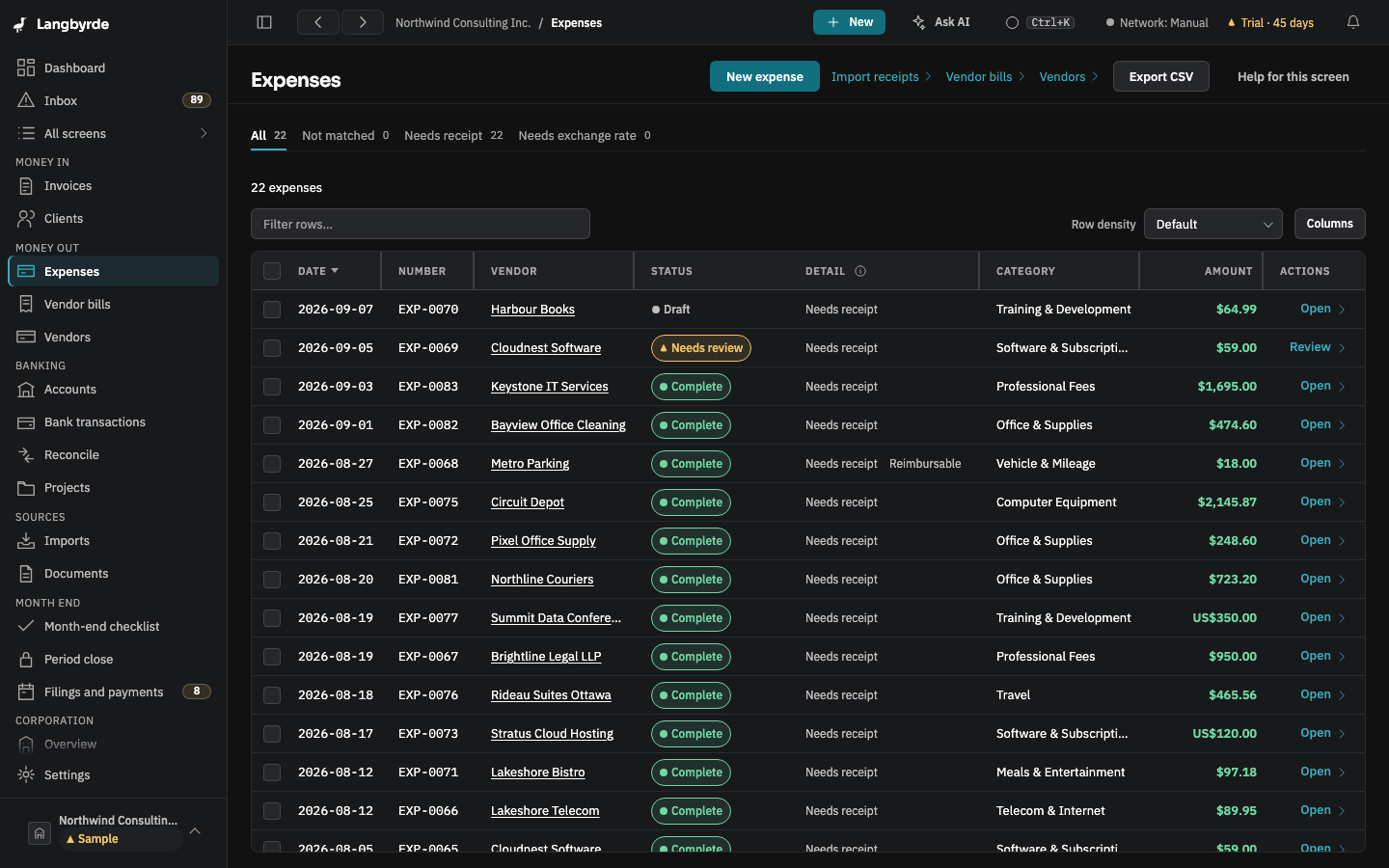
Each receipt is filed in your document folder and attached to its expense. Anything still missing a receipt, an exchange rate or its HST is listed, so you fix it now, not in April.
Expense register and reconciliation
HST collected and paid, input tax credits (the HST you can claim back) and the 50% meals rule, recorded line by line. Each period has a summary, shown as an estimate.
Sales tax on every line
Invoice in USD, spend in CAD or EUR. Every line keeps the exchange rate it used, and a transfer shows your bank’s rate beside the central bank’s.
Multicurrency
Build an invoice from billable expenses or type the lines yourself, and issue it as a PDF to send to your client. Its payment is paired with it when you reconcile the statement.
Invoice builder
The payroll your provider runs and the remittances it creates, by due date, the shareholder loan with a running balance, the mileage log, health spending claims and the minute book checklist.
Corporate records
Underneath the simple screens is a double-entry ledger, the kind accountants use, so the trial balance, general ledger and financial statements come from the same records.
Reports and ledger
Who it’s for
You bill one or a few clients, often in US dollars, and you do your own books.
Close the month without losing an evening, and give your CPA a package instead of a shoebox.
Every job, client file or engagement has its own expenses, receipts and invoices.
Keep each project’s costs and invoices together, with the books on your own computer.
Your clients arrive in April with a folder of PDFs and a spreadsheet nobody can explain.
Langbyrde helps your clients bring reconciled books, receipts attached and HST summarised, in plain files.
Where it’s going
Planned, in this order, subject to change. No dates: each step ships when it is ready.
Today: version 1Available now
Everything on this site works for a corporation based in Ontario, in the beta and in the first release of version 1.
Version 1, second releaseNext
Free updates for everyone who owns version 1.
Version 2Planned
A new major version: a paid upgrade for version 1 owners. Version 1 keeps working if you do not take it.
Version 3Planned
For corporations based in the US, as its own edition with its own licence. A Canadian company invoicing US clients does not need it: that works today.
Version 4Planned
For companies based in the EU, as its own edition with its own licence, country by country.
Later ideasLater
Each one only if it can be done without a Langbyrde server holding your data, and none of them exists today.
Why local-first
Local-first means the app and your data live on your computer, not on our server. It works with the internet switched off.
One company file on your computer, and your documents in a folder you choose: local, OneDrive or iCloud Drive. Export everything, any time, as plain files. No account with us.
Planned at $149 CAD, once at release, plus applicable taxes, for one person on up to two computers. No subscription. Updates within version 1 are free; you pay again only if you want the next major version.
Langbyrde organises, reconciles and exports. It does not file returns and does not give advice. Your accountant stays your accountant, with better records to work from.
AI, if you want it
AI in Langbyrde is optional and off until you turn it on. Use your own AI provider or a model running on your own computer. There are no bundled credits, and we pool nothing for training; your provider’s own terms apply.
Why this category?
The vendor string matches a prior charge you categorised as Software in April, and the amount is within 2% of that recurring monthly charge.
A suggestion, not a fact. Accept it, change it or ignore it.
For your accountant
One export builds a folder for the fiscal year. Every file is a plain file: your CPA needs no Langbyrde to open it.
README.txtWhat is in the package, what was left out and why, and the disclaimers.manifest.jsonEvery file with its size and a fingerprint (a SHA-256 hash), so no file can change unnoticed.workbook.xlsxThe year’s registers and ledger as Excel tables with values, not formulas.reports/Up to eight PDFs: income statement, balance sheet, trial balance, general ledger (when the year has entries), HST summary, receivables aging, shareholder loan continuity, filing calendar.jurisdiction/Plain CSV: the trial balance under GIFI codes (the CRA’s standard account codes), the GST/HST return’s line figures, and the key figures.receipts/A copy of every receipt for the year, filed by category, with the number of expenses that have none.invoices/Copies of the invoices and credit notes issued in the year.memos/Decisions written down during the year, as memos to file.Sensitive details such as bank account numbers and tax numbers are left out unless you choose to include them, and that choice is recorded.
The figures come from one double-entry ledger, so the trial balance, the general ledger and the financial statements are built from the same entries.
What accountants get, file by file or what a sample package holds
Pricing
Not a subscription. Free updates within version 1, and a paid upgrade only if you want version 2.
149 Canadian dollars, one time, plus applicable taxes
CAD, one time, plus applicable taxes · per seat, per major version
Planned price. Purchase opens at general release.
Get the betaLangbyrde organises and extracts your records. It is not tax, accounting or legal advice, and it does not file on your behalf.
Questions
No. Langbyrde keeps your books and prepares a package for your accountant. It does not give tax, accounting or legal advice, and it does not file anything on your behalf. It is built so that you keep your accountant and both of you spend less time on clean-up.
Small incorporated businesses in Canada: consultants, contractors, integration specialists and other professionals, and small service businesses. Today Langbyrde handles a corporation based in Ontario end to end: HST, CRA filing dates and GIFI codes (the CRA’s standard account codes). Planned, in this order: the rest of Canada and French as free updates to version 1; Quebec in version 2; then the United States and the European Union, each as its own edition, with no dates. It is not built for retail or any business that tracks inventory. Where Langbyrde is going has the detail.
Any bank or card that exports CSV, OFX (also as QFX or QBO), QIF, CAMT.053 or MT940; for a CSV file you match its columns the first time, and Langbyrde proposes the match from the file’s layout. A download that holds several accounts is read account by account, and you choose where each one goes. For PDF statements, the beta reads RBC chequing, savings, Mastercard and US-dollar Visa, Scotiabank cards, and Wise. Receipts can be PDF, JPG, PNG, HEIC or e-mail (EML or MSG) files: Langbyrde files each one in your document folder, reads what it can off it on your computer, and fills in a draft expense with the shop, date and amounts for you to check and confirm; when it cannot read one, you type them. There is no live bank feed: you download a statement and import it, so no one else holds your banking login.
The books are one file per company on your computer. Your documents, backups and exports go in a folder you choose, which can be a local folder, OneDrive or iCloud Drive. None of your books or documents is stored with us. Privacy and security lists exactly what leaves your computer and when.
No. Langbyrde works fully without AI: receipts are read on your computer, and category and match suggestions come from your past choices, plain rules and its built-in model. If you add your own AI provider or a model on your own computer, it is asked only when you press an AI button, or for a weak receipt reading once you allow that, as text with the numbers, contact details and names from your records that the app recognises replaced; a receipt picture goes only through Read with AI, after you confirm it. It connects to a hosted provider through that provider's own interface, and to local model runners through the widely used OpenAI-compatible one. Each suggestion waits for you to accept it. AI and your data lists exactly what is sent.
The trial gives you every feature for 45 days from the first time you open the app, with no account and no internet needed. Without a licence after the trial, Langbyrde switches to read-only mode: you can still read everything, print and export your reports, export the CPA package and all your data, and make backups. Nothing is deleted. Activating a licence turns editing back on.
Your licence is checked on your own computer and has no expiry, so a computer you have already activated keeps working. Activating a new or reinstalled computer needs our licence service. Your books are a file you hold, and the full export writes everything out as a plain SQLite database and one CSV per table, which other tools can open; the sensitive details that are encrypted stay encrypted.
Not in version 1. Your licence covers two computers, but a company file lives on one of them and is edited by one person. Keeping the same books in step on your computers through your own folder, and letting a bookkeeper or accountant work in them with their own role, are planned for version 2, with no date yet. If you need several people editing the same books live today, an online bookkeeping service is the better fit.
Both, with one licence. macOS 13 or later, on Apple silicon or Intel; Windows 10 or 11. One seat can be active on two computers at once, a Mac and a PC included. To move a seat to a new computer, deactivate the old one in Settings, or make an offline deactivation code there and enter it when you activate the new one.
Try every feature for 45 days. No account, no card, and your books stay on your computer unless you choose to send them.
macOS 13 or later, on Apple silicon or Intel · Windows 10 or 11