How suggestions work without an AI provider
Langbyrde makes several kinds of suggestion on its own, with no AI provider. Each one is worked out on this computer from your own company file, and works in every network setting, including Offline. Nothing is sent anywhere to make them, and no outside model is trained on your data.
Every suggestion waits for you. Nothing is recorded until you accept it.
Receipt readings
When you add a receipt, Langbyrde reads the vendor, date, amounts, tax lines and the supplier's registration number on this computer, and proposes them for you to check. See Reading receipts on this computer.
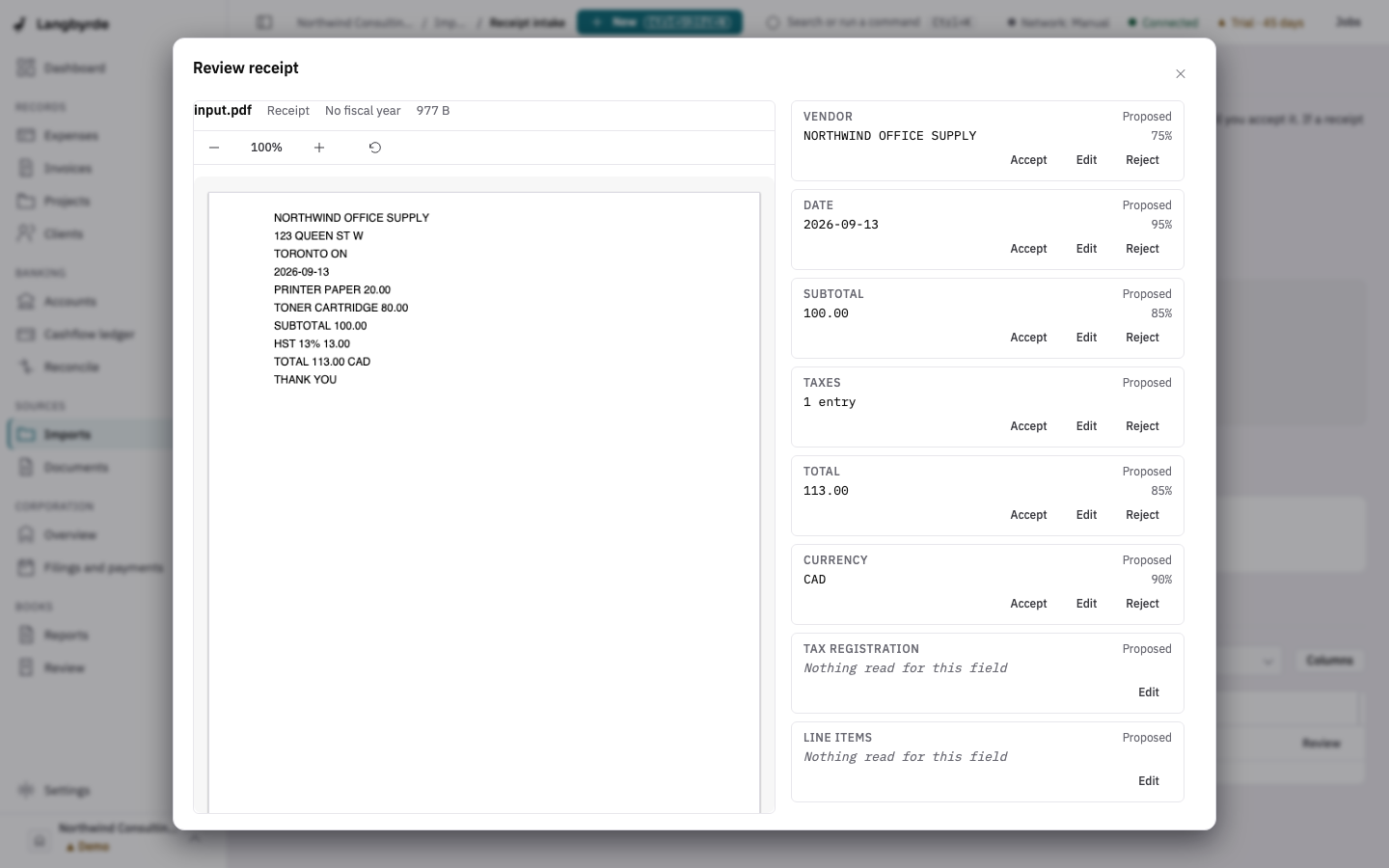
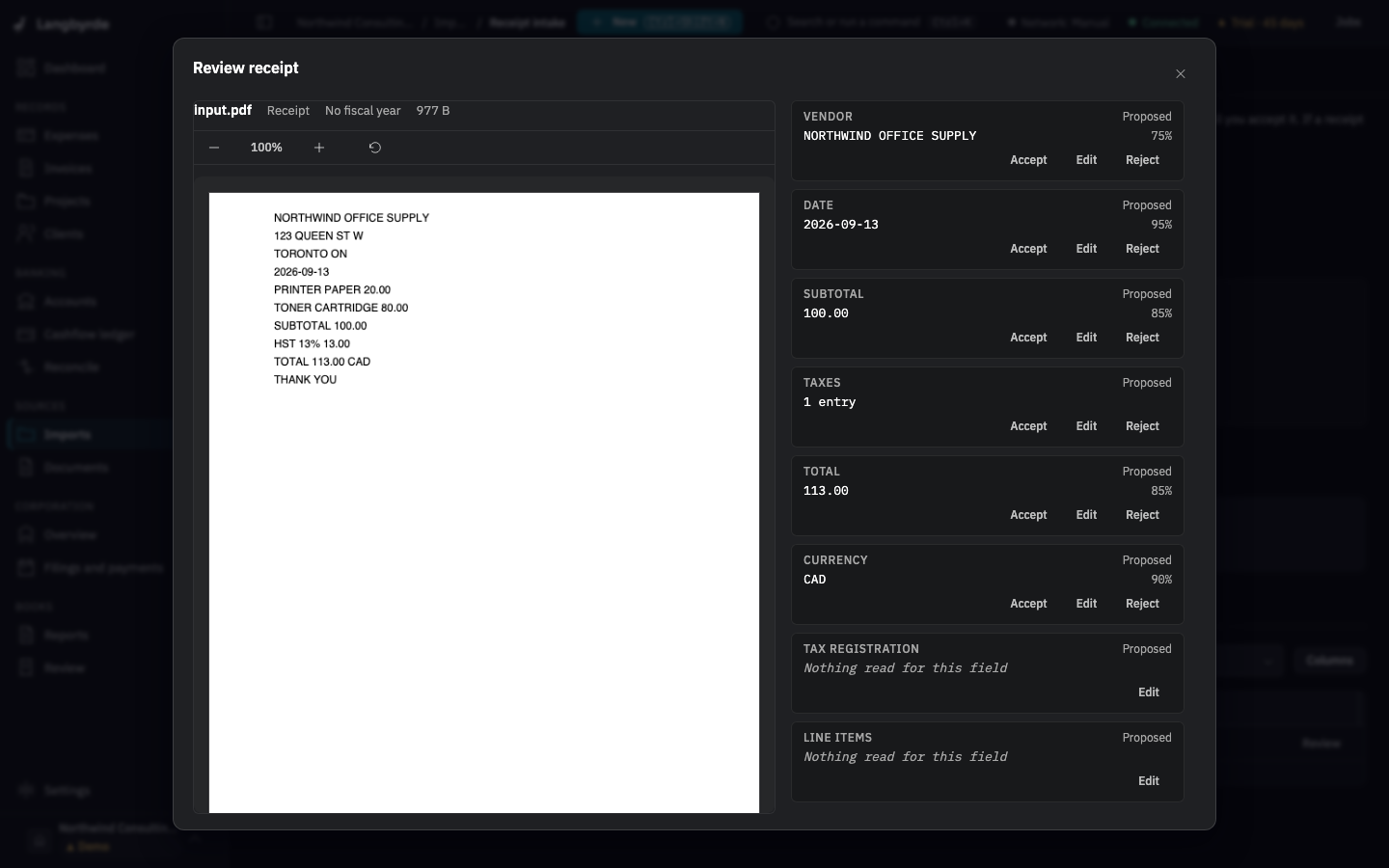
- Where: Receipt intake, in the Queue, then Review.
- Accept or dismiss: Accept, Edit or Reject each field, then Accept extraction. A reading you never accept never becomes an expense.
A vendor's usual details
When you record an expense by hand and pick a vendor you have paid before, Langbyrde fills in that vendor's usual details: the category, tax code and payment source of the last expense recorded for it. It also starts the payment source and paid-from account on what you used last for this company on this computer.
- What it uses: the expenses already in your company file. The last choices you made are kept on this computer only, never in the books.
- Where: the New expense drawer.
- Accept or dismiss: these are starting values. Change any field before you choose Record expense. To change what a vendor starts with, use the Vendors screen.
In this version Langbyrde does not suggest a category by itself beyond the vendor's usual one.
Matches in Reconcile
When you import a bank or card statement, Langbyrde looks for the record each new line most likely belongs to, and proposes it. It does the same the other way when you record an expense after its card line was already imported. It uses fixed rules, such as:
- the same amount on the same date;
- the same amount within three days, the way a card charge or a cheque often clears a day or two after the purchase;
- an invoice number that appears in the line's description;
- a payroll run's net pay within three days of its pay date;
- a remittance's amount within three days of its due date;
- a health spending account claim or statement, or a shareholder loan entry, with the same amount within three days of its date;
- a line and a record that are already linked to the same vendor.
- What it uses: your statement lines and the expenses, invoices, payroll runs, remittances and other records in your company file. Nothing else.
- Where: the Suggested tab of Reconcile, and the Cashflow ledger. The Cashflow ledger marks such a line AI-suggested; in this version those suggestions come from the rules above, worked out on this computer, and no AI provider is involved.
- Why: select a candidate and choose Why this match? (
Alt+E) to see what made the rule suggest it. - Accept or dismiss: Approve match accepts it; Reject (
Alt+R) turns it down. A suggestion you rejected is not offered again. On the Cashflow ledger, Accept N suggestions… accepts several at once after showing you each one. See Reconciling.
Lines in a closed period, or in a statement you already signed off, get no new suggestions.
What these suggestions never do
- They never change your books by themselves. A suggestion is recorded only when you accept it.
- They never use a network connection, and they work the same in the Offline setting.
- They never send your data to an AI provider, even when you have connected one.
To learn what changes when you do connect an AI provider, and what it is sent, see AI providers: what they do and what is sent.
Every suggestion is a proposal until you accept it; see What the disclaimers mean.