Keyboard shortcuts
Langbyrde can be used from the keyboard alone. This page lists every shortcut. On a Mac, press ⌘ (Command) where this page says Ctrl, and ⌥ (Option) where it says Alt.
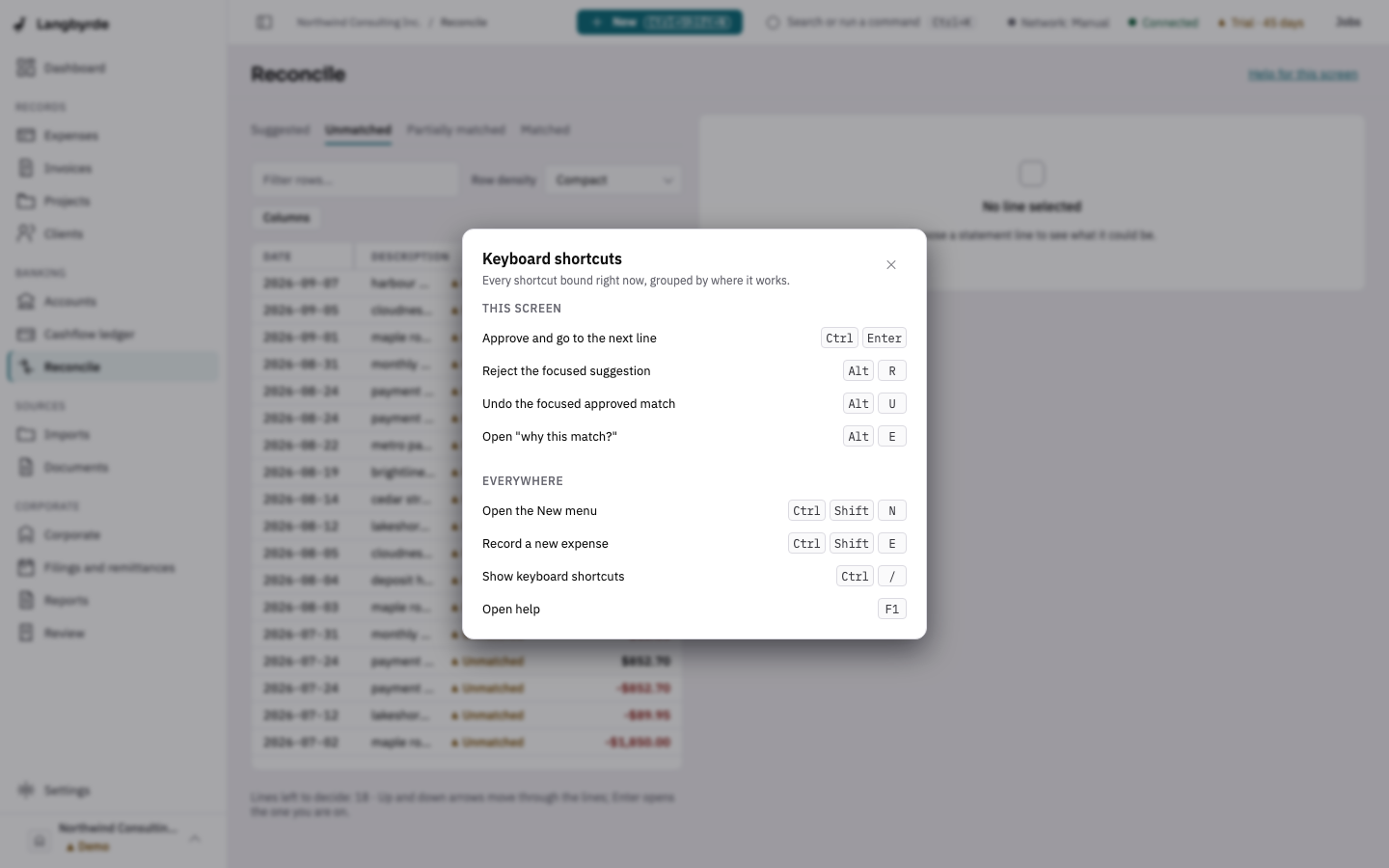
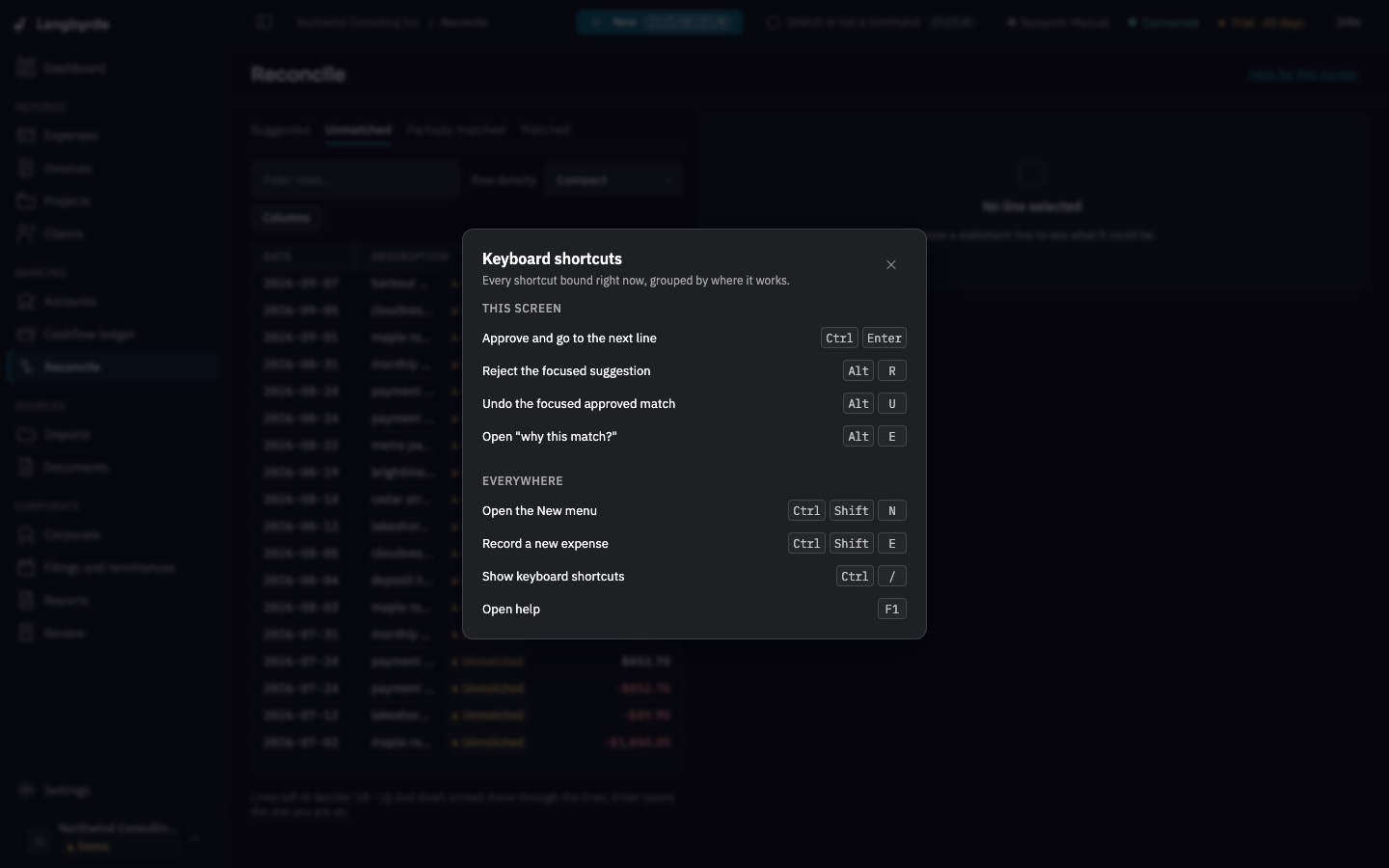
See the shortcuts for the screen you are on
Press Ctrl+/ (⌘/ on a Mac). The Keyboard shortcuts sheet opens. It lists the shortcuts that work right now: This screen first, when the screen has its own, then Everywhere. Press Escape to close it.
Shortcuts that work everywhere
Ctrl+K(⌘K) opens the command palette. Type a few letters of a screen, an action or a record, then press Enter.Ctrl+Shift+N(⌘⇧N) opens the New menu.Ctrl+Shift+E(⌘⇧E) opens a new expense, from any screen. It needs a company open.Ctrl+/(⌘/) shows the keyboard shortcuts.F1opens this help.
Make text bigger or smaller
Ctrland+(⌘and+) makes text bigger.Ctrland-(⌘and-) makes it smaller.Ctrl+0(⌘0) sets it back to 100 %.
Each press moves one step: 80, 90, 100, 115, 130, 150, 175 or 200 %. The size is remembered on this computer. You can also pick it in Settings › Appearance; see Appearance. In the desktop app the same three commands are in the View menu as Zoom In, Zoom Out and Actual Size.
Reconcile
On the Reconcile screen, with a statement line selected:
Ctrl+Enter(⌘↵) approves the suggested match and moves to the next line.Alt+R(⌥R) rejects the suggestion your focus is on.Alt+U(⌥U) undoes the approved match your focus is on.Alt+E(⌥E) shows why the match was suggested.- The arrow keys move between lines.
See Reconciling.
Cashflow ledger
While a suggested match is open on the Cashflow ledger, Alt+R (⌥R) rejects the suggested record your focus is on. See The cashflow ledger.
Other keys
- In a comment box on a record's Comments tab,
Ctrl+Enter(⌘↵) adds the comment. - In the company switcher,
Ctrl+Enter(⌘↵), orCtrl-click (⌘-click), opens a company in a new window. - In the rail on the left, the up and down arrows,
HomeandEndmove between rows. - In lists and tables, start typing to jump to a matching row.
Escapecloses a menu, a dialog, a drawer or the command palette without changing anything.
Shortcuts that change records do nothing in read-only mode. There is no shortcut that locks the app; use Lock Langbyrde now in the command palette when an app lock is set.