Memos
Open Overview under Corporation in the rail, then Memos. A memo records a decision in your own words: a tax position, a related-party transaction, anything your accountant should know.
On this screen
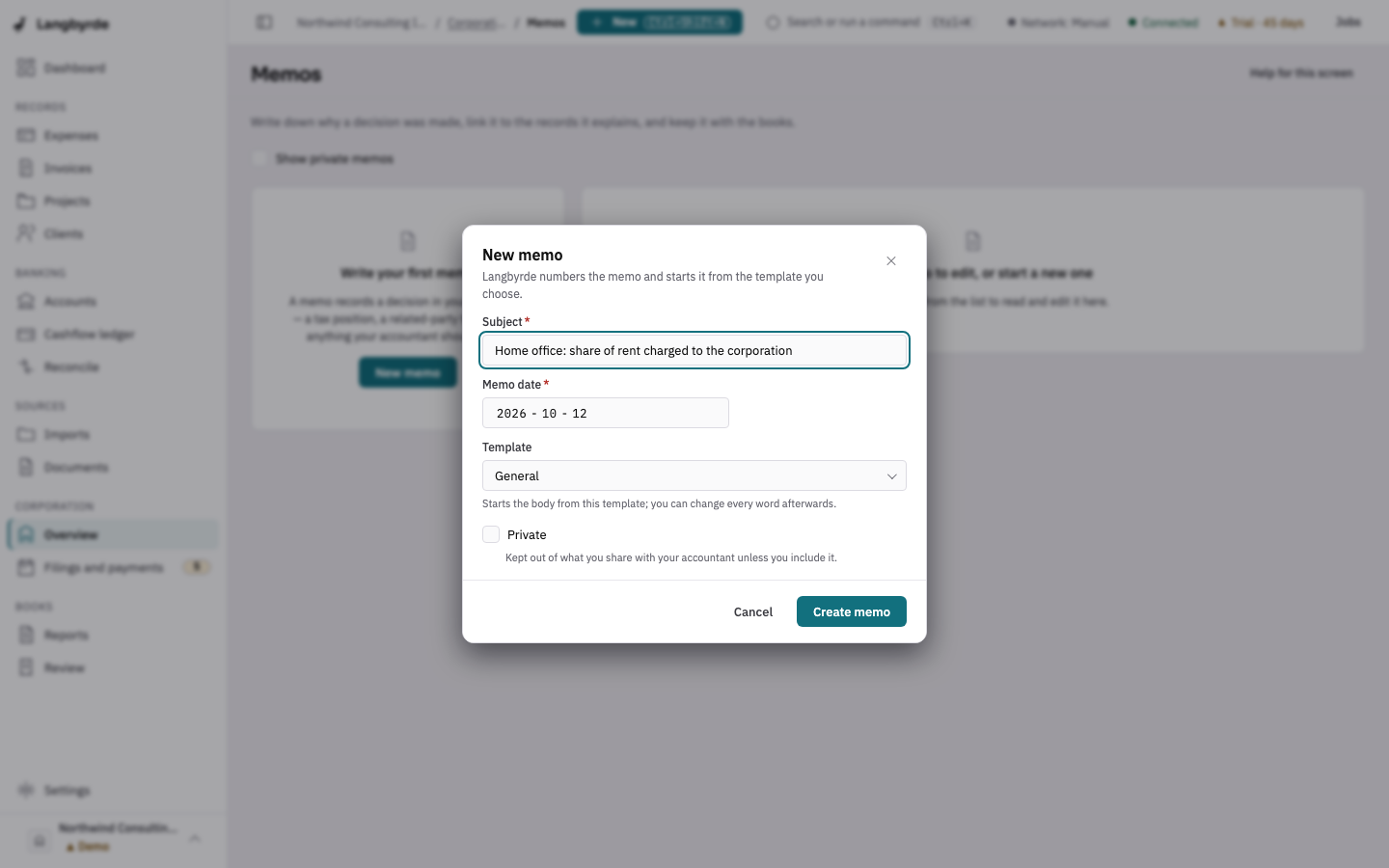
- Choose New memo, give it a Subject and choose Create memo.
- Write the decision on the Write tab and check it on Preview.
- Choose Link record to tie it to the records it explains.
Write a memo
New memo numbers the memo and starts it from the template you choose. Write the text on the Write tab; the hint under the box lists the few marks you can use (a leading # for a heading, a leading - for a list, for bold). Preview** shows how it reads.
Linked records ties the memo to the expenses, invoices or other records it explains, so each record can lead back to the reasoning. The PDF copy section files the memo as a PDF in the company folder. Tick Show private memos to include memos marked private in the list.
Draft a memo with AI
If you have connected your own AI provider, Draft with AI writes a first draft from the memo's subject, date and linked records. It needs at least one linked record. The draft shows as AI draft — not saved: choose Accept draft to save it as the memo's text, or Discard draft. Your memo is unchanged until you accept it, and you review the text before filing. For exactly what is sent, see AI providers: what they do and what is sent; the draft is a suggestion, see What the disclaimers mean.