Reading reports
The reports screen shows the company's reports for one fiscal period, one tab each: the trial balance, income statement, balance sheet, general ledger, shareholder loan continuity, filing calendar and HST summary. The receivables aging report has its own screen.
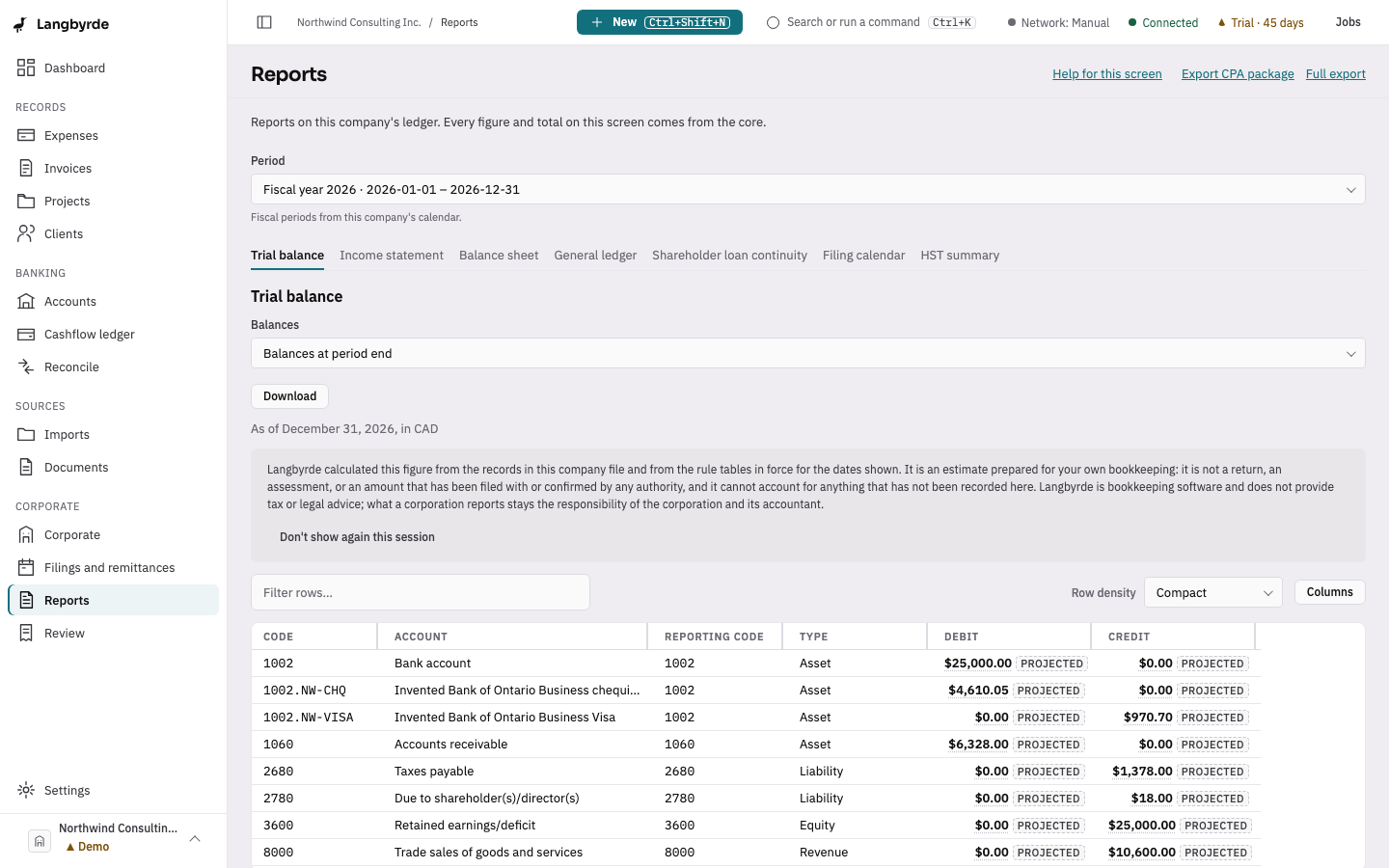
Choose a period
Pick a period from the list at the top. Periods come from the company's fiscal calendar. A closed period's figures no longer change when new entries are recorded for later periods — see Closing a period.
The tabs
- Trial balance: every account's debit and credit balance. Choose a row to open that account in the general ledger.
- Income statement and Balance sheet: the statements for the chosen period.
- General ledger: one account's entries over the period, with the running balance. Choose the account from the list, or open it from a trial balance row.
- Shareholder loan continuity: the period's opening balance, each movement, and the closing balance, for the whole shareholder loan account or for one shareholder.
- Filing calendar: the remittances and filings whose due dates fall inside the period.
- HST summary: described below.
Compare with an earlier period
The Compare with list adds the same report for an earlier period, either the prior period or the same period last year. Which period that is comes from the company's fiscal periods. It applies to the statements, the general ledger, the shareholder loan continuity and the filing calendar, and to the trial balance when it is scoped to one period.
Download a report
Each tab has a Download menu with PDF and Excel. A PDF is made at once. An Excel workbook is made in the background: you can follow it in Jobs, and it is saved where you choose when it is ready. A download holds the chosen period only, without the comparison. To take every report for an accountant, use the CPA package below.
Where the figures come from
Every figure and total is worked out by Langbyrde from the company's ledger: imported statements, expenses, invoices, payroll and adjustments. The screen formats those figures; it never calculates them itself.
The HST summary
The HST summary tab shows the sales tax the app recorded as collected, the tax recorded as paid, the input tax credits, and the net tax. While the period is still open, the figures are marked as projected because they can change — see What the disclaimers mean.
Sharing reports with your accountant
The CPA package brings the reports and the documents behind them together for your accountant to review. To take everything the company file holds out of Langbyrde in plain formats, use the full export.