Exporting a CPA package
A CPA package is one folder with everything your accountant needs to review a fiscal year: the workbook, the report PDFs, receipts, invoice and memo copies, a README.txt and a manifest.json.
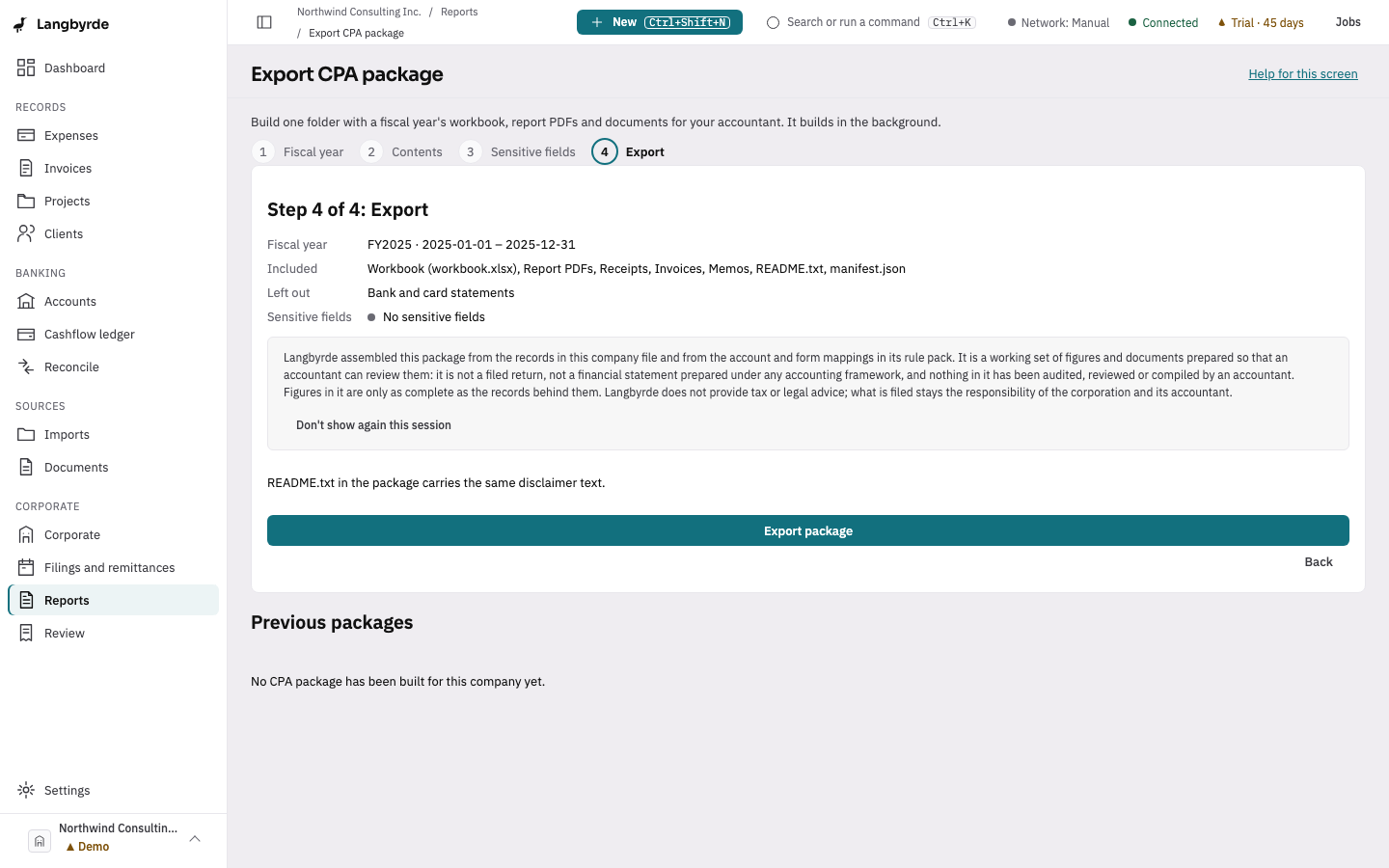
Build a package
- Choose Export CPA package at the top of the dashboard, or open Reports and choose it there, or press
Ctrl+K(⌘Kon a Mac) and choose Export CPA package. - On Step 1 of 4: Fiscal year, check the year. The most recent closed year is picked for you.
- Choose Export with these defaults. Langbyrde jumps to the last step with the usual choices: everything except bank and card statements, and no sensitive fields.
- Check the summary: the Fiscal year, what is Included, what is Left out, and Sensitive fields.
- Choose Export package. The package builds in the background and you can keep working. When it is done, the screen says Package ready.
To choose for yourself, use Next instead of Export with these defaults and go through the steps: Contents lets you untick any part your accountant does not need (README.txt and manifest.json are always included), and Sensitive fields is off unless you turn it on.
Where the package goes
Packages are written to _langbyrde/exports/ in the Company Folder, one folder per package, named after the fiscal year and the date. Previous packages lists them, with Show in Finder (Mac) or Show in File Explorer (Windows) to open the folder.
Sensitive fields
With sensitive fields on, the package includes client tax ids and can include full bank and card account numbers. Including them needs the View sensitive fields permission, and the export is recorded in the audit log under your name. Leave it off unless your accountant has asked, and keep that folder confidential.
If you cancel
Cancel export stops the build and leaves nothing behind: the package is built in a temporary folder and moved into place only when every part is written.
Read-only mode and the disclaimer
Exporting always works, in read-only mode too. The export step and the package's own README.txt carry the same disclaimer; see What the disclaimers mean.